
Cherry vs OEM vs SA vs XDA Profiles: How Keycap Shape Impacts WPM
Keycaps are the physical contact point between your fingers and keyboard switches. The height, curvature, and angle of keycap rows—known as the keycap profile—significantly impact finger reach, comfort, and WPM speed.
While standard pre-built keyboards ship with tall OEM profile keycaps, many typists prefer lower-profile Cherry keycaps or spherical sculpted profiles like SA and MT3.
This guide compares major keycap profiles, row sculpt angles, material types (PBT vs ABS), and their effect on typing speed.
📌 Key Takeaways & Executive Summary
- Global Speed Benchmark: The average unconditioned typist operates at 38–41 WPM. Mastering procedural touch typing elevates sustainable output to 65–85+ WPM.
- Accuracy Precedes Velocity: Enforcing a strict 98%+ accuracy ceiling prevents compound error cascades, allowing muscle memory to solidify faster than rushing through typos.
- Neuromuscular Chunking: High-speed typing shifts mental workload from individual letter recognition to multi-letter bi-gram and tri-gram procedural motor reflexes.
- Micro-Burst Training Model: Three focused 10-minute targeted daily sessions produce higher neuromuscular retention and lower fatigue compared to marathon practice sessions.
- Immediate Practical Application: Benchmark your baseline today using our calibrated typing engine and interactive arcade challenges to track objective progress.
Sculpted vs Flat Keycap Profiles
Sculpted profiles (Cherry, OEM, SA) feature varying keycap heights across rows, creating a natural contour that matches finger reaches.
Flat profiles (XDA, DSA) feature uniform keycap heights across all rows.
| Keycap Profile | Height Category | Sculpting Style | Material Options | Typing Speed Suitability |
|---|---|---|---|---|
| Cherry Profile | Medium Low (9.4mm) | Sculpted Rows (Ergonomic) | PBT / ABS | Optimal for Fast Touch Typing & Coding |
| OEM Profile | Medium High (11.9mm) | Sculpted Rows | PBT / ABS | Standard Pre-Built Default |
| SA Profile | Tall (16.5mm) | Deeply Sculpted Spherical | ABS / PBT | Retro Aesthetic, Requires Wrist Rest |
| XDA / DSA Profile | Low Uniform (9.1mm) | Flat (Unsculpted) | PBT | Clean Minimalist, Higher Row Error Potential |
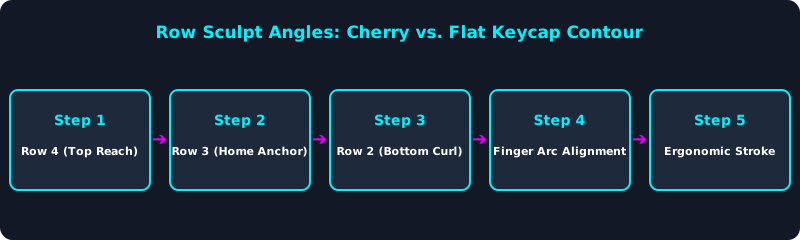
This contour diagram illustrates how sculpted keycap profiles cradle finger movement across rows.
PBT vs. ABS Plastics & Texture Longevity
PBT keycaps feature a durable, textured surface that resists oil shine over years of typing, maintaining secure finger grip.
5 Steps to Select the Right Keycap Profile
- Choose Cherry Profile for Maximum WPM: Select Cherry profile keycaps for comfortable sculpted finger reaches.
- Opt for PBT Material for Oil Resistance: Choose PBT plastic keycaps for long-lasting textured grip.
- Pair Tall Profiles (SA) with a Wrist Rest: If using tall SA keycaps, always use a wrist rest to maintain neutral angles.
- Avoid Flat Profiles for Blind Typing: Sculpted profiles offer superior row orientation over flat XDA keycaps.
- Test Your WPM on New Keycaps: Benchmark your typing speed on TypeTestLab Speed Test.
Frequently Asked Questions (FAQ)
Why is Cherry profile favored by fast typists?
Cherry profile is slightly lower than OEM and sculpted to cradle finger movements efficiently.
What is the difference between PBT and ABS keycaps?
PBT keycaps are durable and textured; ABS keycaps are smoother but develop oily shine over time.
Are tall SA keycaps good for typing?
SA keycaps offer great retro aesthetics and sound, but their height requires a wrist rest to prevent strain.
Do keycap profiles really affect typing speed?
Yes, sculpted keycaps reduce finger travel distance and help fingers find row orientation blindly.
Where can I test speed across different keycap setups?
Test your typing speed on TypeTestLab Speed Test.
Test Your Keycap Performance Today
Benchmark your speed on TypeTestLab's precision testing engine.
Start Free Keycap Test ⚡